Pages - Menu

Showing posts with label Google. Show all posts

Google RCS (Rich Communication Services) now available in Pakistan, Italy and Singapore

Chat over WiFi or data with Google RCS

As you might know Google has a history of making and then killing the messaging apps and couldn't settle on one. They've made a smooth move with RCS also known as rich communication services and everyone is hoping it doesn't end up in the Google graveyard as well. RCS is a communication protocol rather than an application and can be said as the upgraded version of dated SMS to include WhatsApp or iMessage like features in it. Google is trying to replace old SMS with updated chat features that seem more modern. Messages can be sent through mobile data or WiFi using the RCS protocol.

Thumbnails in promotions tab of your Gmail

Thumbnails in promotions tab of Gmail

Mostly promotional email contains lots of images or at least one. So if you are using Gmail's tabbed inbox and you haven't disabled promotions tab then you'll be able to get in the field trial for Gmail.

Google drive vs OneDrive vs Dropbox pricing. Which one is low-priced?

Google drive vs OneDrive vs Dropbox pricing. Which is low-priced?

Everyone needs some safe place to store backup of their files. Google Drive, OneDrive (SkyDrive), Dropbox and some other such cloud storage companies are available which provide you storage to put your files in. Most of them offer some free storage e.g. Google Drive, OneDrive and Dropbox offers 15GB, 7GB and 2GB respectively.

Can I get custom URL for my Google+ profile or page?

can i get Google plus custom/vanity URL?

Google Plus has been discontinued!

What are custom URLs for Google+ profiles or pages?
I think you know what are they and you want one for your profile too. Like Facebook and Twitter, Google+ supports custom URLs. Google added custom URL feature for Google+ profiles in August 2012, but these links were only available to verified accounts. Here is a Post on Google+ by Google+ announcing custom URLs for accounts.

Did you know that Android versions are named alphabetically?

Did you know android versions are codenamed alphabetically?
This image is Modified. Original by Google under creative commons

Different versions of Google's open source Smartphone OS, Android, are named after desserts and these names are in alphabetical order.

How to get notified when others (recipients) read my emails?

You send someone email but you don't know when he/she will read your email or had he/she read your email or not. But this is not a problem these days. There are certain plug-ins which can track email and tell you when your email was read.

One such tool for Gmail (currently supports Chrome and Safari browsers is available for free and is in beta version) can help you to track emails sent through your Gmail account. If you are in hurry go and get streak for your browser from their official website.

How chrome protects your passwords stored by its password manager?

Google chrome's password manager

Like other browsers Google Chrome also offers to save passwords with other information when a login form is submitted. Chrome will store passwords as plain text which makes all login information available to everyone who can access your computer. But Chrome also added another feature which protects your passwords with a master password.

Send emails to your Google+ connections whether you know their email or not

Send emails to your Google+ connections.

Recently a new feature was introduced by Google for Gmail and Google+ users. This is not a problem anymore if you wanna send email to a person but you don’t know his/her email address. This is not going to work either if that person is not in your Google Plus connections because you can send emails to your Google+ connections too.

How to create street view with android phone

Contribute to google maps' Street View

Google cannot get everywhere to capture images for street view of Google Maps, so, now Google allows everyone to share images so every place gets on Google’s street view. If you have android 4.2 (Jelly bean) phone then consider yourself lucky because android 4.2 have a new camera feature called photo sphere which can capture 360 degree photo of surroundings.

History of Android and features of Android 4.4 (KitKat)

Android KitKat 4.4Android is an awesome operating system for Smartphone. It is based on Linux kernel and is developed by Android, Inc which got financial support from Google. Google bought it in 2005 and is really trying to get this OS smarter for even better Smartphones. Different android versions have different codenames. First codename was Cupcake which was for Android 1.5. Codename for Versions 4.1 - 4.3 was Jelly Bean and now new version 4.4 got new name KitKat.
Connect with world through Google plus

connect with world through Google Plus

Google+ is second most popular social networking site in world (having 500 million users) and is keeping people together since 2011. Like Facebook Google plus can connect you with your friends and family in different ways. You can send messages to your friends, make video call and you can also share what's new only with them. You can add family members and your friends in circles to arrange them in such a way so that you can share things easily if you want to share with them only.

Some changes in Facebook, Google and twitter

Some changes in top social networks like Facebook, Google and Twitter

Recently Facebook removed an option from privacy settings, Google updated their privacy policy and Twitter is now going to allow anyone to send you direct messages.


Two awesome updates from last month

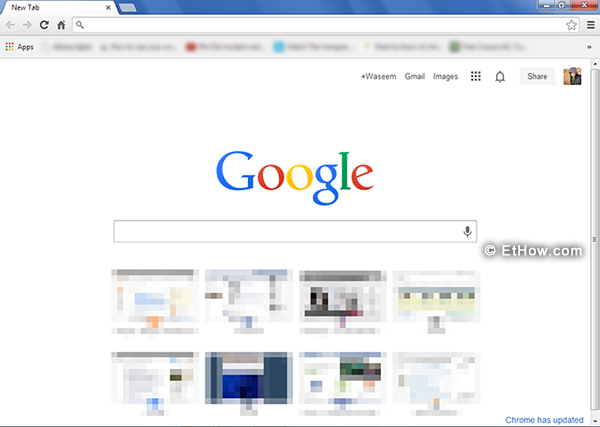
Last month Google updated new tab interface of Google Chrome and Facebook added edit post functionality that I really like.

Google Chrome

Google chrome's new tab interface.

Google introduced completely redesigned new tab interface which is my favorite due to availability of everything with just a click. Get your apps by clicking on apps button which is available at extreme left side in bookmarks bar below omnibox.

How to embed Google Plus posts

Recently Google added new embed post feature like Facebook and Twitter to Google plus which is available for everyone. Embedding posts is really useful. You can embed source posts in your posts so that users can see from where you got some information.

Google Chrome 29 got some new features

New google chrome 29 got some new features in it.
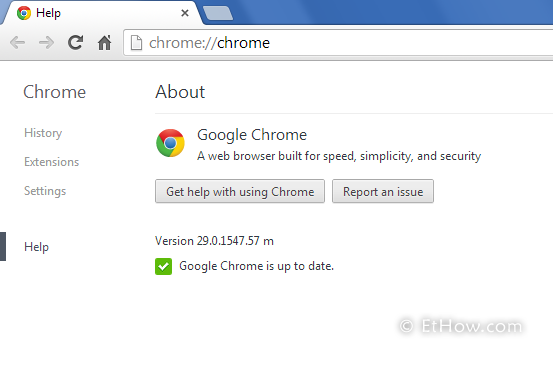
Two days ago Google released new version of Google Chrome (29.0.1547.57). I did not realize when I got my Chrome updated because of its silent updater but I found some new features that made me think I did something wrong with chrome. Its updated omnibox seems little bit weird but now it can show those links at top that you visited recently (show results relevant to those you've visited). They also integrated desktop notifications in Chrome (Google's rich notifications) for Mac users.

Some free cloud storage providers (34 GB for free)

Free cloud storage providers. Get 34GB for free.
These days cloud storage is really not too much expensive but still there are people like me who don't want to spend money for such purpose. I am only using 1.3GB Google Drive storage because I only uploaded some important documents there and rest of my important files in some external Hard Drives. Because of this I don't need to upgrade my storage plan but if you want to backup your files on cloud without paying for it then you can go for free cloud storage providers e.g. Google Drive or SkyDrive. I am going to explain how you can get 34GB for free.

Keyboard shortcuts for Facebook, Google plus and Twitter

Facebook, Google plus and twitter keyboard shortcuts.
Social networking is growing every day. Now people think it essential to sign up for Facebook, Twitter and Google+. Everyone knows how to use any of these websites perfectly. I am sharing this post because maybe some of you don’t know that you can surf these websites more quickly. There are some keyboard shortcuts which can increase your speed over social networks.

Use Google Search as timer

Maybe you need timer that can help you by reminding upcoming events or things. For example you have to go and pick your food from someone who asked you to get it after little time. Chances are you’ll forget that if you are busy in some other work. I've already mentioned a tool that can help you remember things if you forget. There are lots of tools that can help you but you have to download and install them. Also some are available as portable version too but you may want more quick method. (Read also: Free alarm clock for PC)

Gmail’s new tabbed inbox waiting for you


Tabbed gmail inbox
I didn't know about new tabbed version of Gmail’s inbox but yesterday I got my eyes on that when I visited Gmail from my web browser. I found it very pretty and now it is really easy to manage all my emails. That is because now I can manage my emails in multiple tabs.

15 GB of free storage by Google Drive

15 GB free storage by Google Drive
You may know that Google was giving you 5 GB of free storage for Google Drive where you can store your files and documents. But now they are offering 15 GB for free. You may think why Google increased storage space. Answer to your question is that Google just merged storage between Drive, Gmail and Google+ photos. You got 10 GB for Gmail and 5 GB for Drive and Google+ Photos before this.