Pages - Menu

Showing posts with label Freeware. Show all posts

Fully customizable notification bar for free

Previously I coded and shared a notification bar that wasn’t customizable this much but this one is fully customizable and can be used to show information about some article on web pages of your website or blog.

Simplest way to remove all of the EXIF data from any image

Remove exif data form the images with single click.

First of all let me tell you something about EXIF data in case you didn't know what it is already.

EXIF Data:

Date & time and camera settings are saved by your digital camera in photos that you capture. This stored data is called EXIF data.

Application with brilliant interface and features for managing your Twitter accounts

Maybe you've heard of Tweetdeck, if not let's talk about it.

tweetdeck, a better application for managing twitter accounts.

Twitterdeck is an application that can help you to manage your twitter accounts in better way. It allows multiple accounts and customizable columns so you can adjust it as you like.

How Firefox protects your passwords, saved with its password manager?

How firefox protects your password?

Firefox gives you option to setup a master password to make your passwords (stored in its password manager) secure from others who have access to your computer. In recent post, I talked about the protection that chrome provides for passwords stored by its password manager while this post is focusing on Firefox's. [You might also light: How chrome protects you passwords?]

Opera Mini, Opera mobile classic or Opera browser for android (which is better for you?)

Opera browsers for android

After using all of these three browsers, I am here to share which is better for you. I am not going in too many details but this information will help you choose the right one; there is no wrong choice because all these browsers are excellent.

What is Facebook paper?

Paper by Facebook is an app which will let you customize your Facebook experience by getting content from your friends and from others on Facebook. It will show stories elegantly in fullscreen. It has much more features and I am sure those features will make you download this app.

How to Encrypt individual files and folders with AxCrypt for better security

AxCrypt for encrypting individual files or folders with passphrase or key-file

I am sure that there are some files or folders in your PC that you don't wanna share with anyone or you have some personal information that you don't want to be shared with agencies who are spying on you. If it is the case then let me tell you that you can protect your files or folders by encrypting them.

Alternatives to Google Chrome and Firefox for better security

Freeware firefox and google chrome alternatives for better security and privacy.
Online security is really very crucial these days. There are lots of software programs that can assure your online privacy e.g. antivirus or firewalls can give you good protection but all antivirus don’t have all types of tools that can protect you. Antivirus are essential part for protecting your privacy and your personal information. Some got built-in web filter that can protect you from harmful websites by scanning connections to them. But if you need some more protection you can use these alternative browsers which are better for privacy and will protect you from online attacks. (Read also: Tips to make your accounts secure on social networks)

Sticky Feedburner follow/subscribe box

FeedBurner email subscribe/follow box.
Do you want to get more subscribers for your FeedBurner. Here is a way to boost your FeedBurner’s subscribers. You can add Feedburner follow box (coded by me) to your blog. This is really very attractive and will attract most readers of your blog to sign up with their email for updates. I visited a random blog hosted on Wordpress where I saw follow box similar to this (I should say mine is similar to that). That follow box is available for every wordpress user so I thought I should make it available for everyone that is not on wordpress.

Free alternative to Hello Bar (bottom notification bar)

Free alternative to Hello bar. Free notification bar.

Update: New notification bar with more customization is released. Have a look on it.

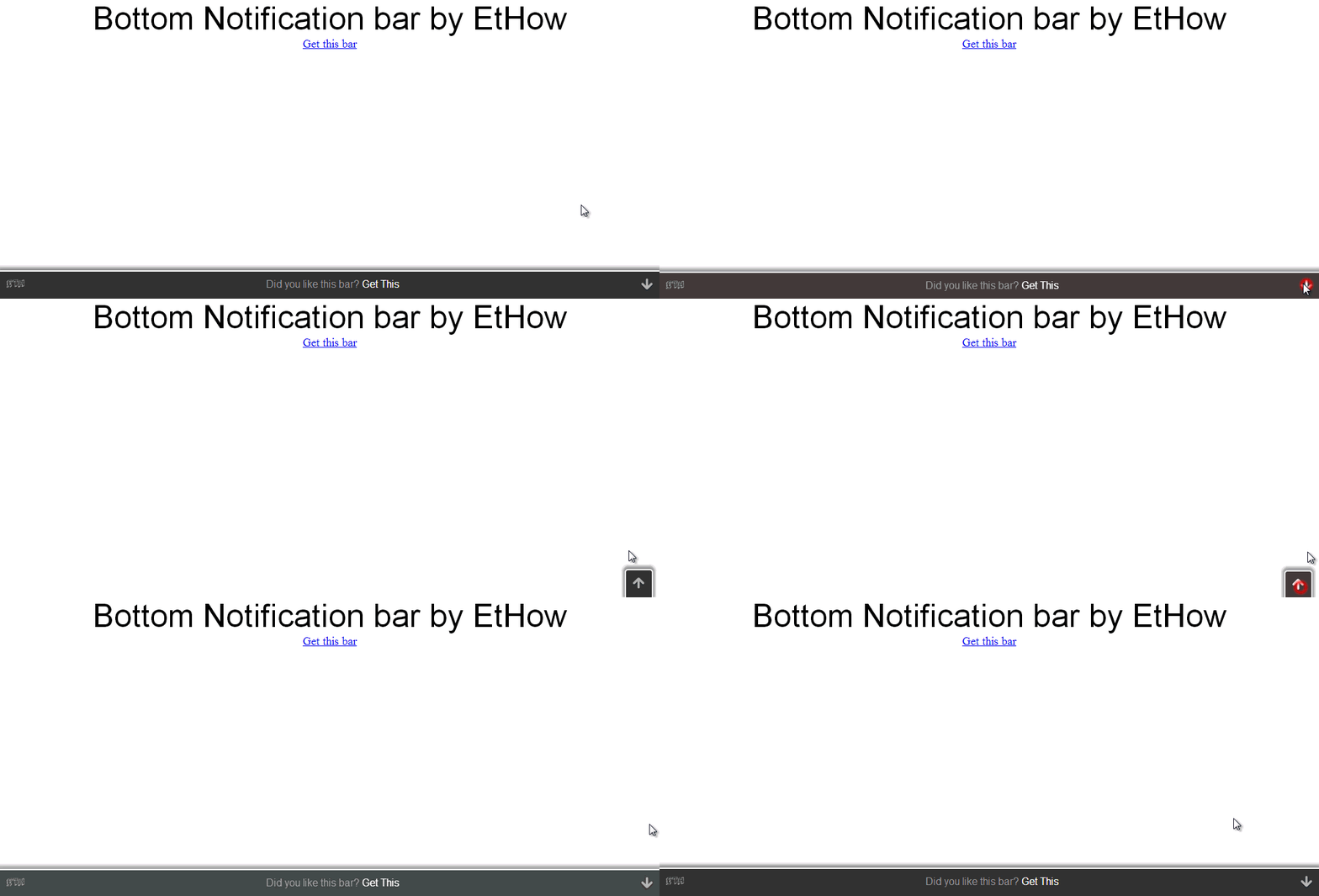
Hellobar is famous all around the world but it costs too much. Hello bar provides 25 free clicks per month. If you have good traffic then you will run out of clicks soon or you can upgrade to 100 clicks by paying $4.95 per month. They have some more plans with more clicks and money. I am not saying that hellobar is not good. That is awesome but only if you can spend money on it. If you do not want to spend money for hello bar then here is a notification bar that I coded. It is an excellent alternative to Hello bar and you can get unlimited clicks for free. Have a look on image at top for demo.
I know you may like notification bar that I am using on my blog at this time. If yes then keep calm I'll share that soon with you guys.

Some free cloud storage providers (34 GB for free)

Free cloud storage providers. Get 34GB for free.
These days cloud storage is really not too much expensive but still there are people like me who don't want to spend money for such purpose. I am only using 1.3GB Google Drive storage because I only uploaded some important documents there and rest of my important files in some external Hard Drives. Because of this I don't need to upgrade my storage plan but if you want to backup your files on cloud without paying for it then you can go for free cloud storage providers e.g. Google Drive or SkyDrive. I am going to explain how you can get 34GB for free.

New Firefox 23 with better security and improved features

New firefox 23 with better features and security. New firefox logo.
Mozilla Firefox is best browser and is popular all around the world. Firefox render Web Pages with the help of Gecko Layout Engine. On February 9, 2004 it was given name “Mozilla Firefox” from "Mozilla Firebird." They always tried to make browsing easy and include little fun in it. Two days ago Mozilla released new version of Firefox with better security and some new features. (Read also: New Redesigned Opera browser)

Format hard drives with FAT32 having more than 32 GB

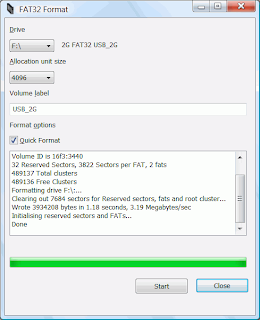
FAT32 Format for windows which allows formating volume with fat32


FAT32 was developed for older versions of windows (For Windows NT). It has less security than NTFS. It was included with Windows 95, 98 and Windows Me. It is suitable if you want to install some old version of windows i.e. You can install windows 98, or other older versions along with newer version. But you'll need FAT32 file system for better performance of older windows because they do not support NTFS. FAT32 only support hard drive of upta 2TB in size and microsoft Windows 2000 can only work with FAT32 partition having no more than 32 GB of space and windows XP does not let you format partition or drive having more than 32GB of space.

Get 10 GB of free cloud storage from Bitcasa infinite drive

Free 10 GB cloud storage by Bitcasa infinite drive
In some previous posts I shared about some other cloud storage providers. Here is another cloud storage provider that is giving 10 GB of storage for free. Recently Google announced that each user now can use 15 GB of free storage for Google+ Photos, Google Drive and Gmail. If your Google Drive is full and you don’t want to purchase more storage then get 10 GB for free from Bitcasa infinite drive.
You can install Bitcasa on your PC or on your mobile device to synchronize files as you save them. It is also available for Mac and Linux users. After installing Bitcasa you’ll see it as a separate drive which you can access like other drives on your device. You can sign up from the web interface or from within the software after it is installed.

Free cloud storage by Dropbox

free cloud storage by dropbox
You can upload and make backup of your files on cloud storage for free. You can also share files uploaded to dropbox with your friends. There are lots of free cloud storage providers these days but Dropbox is most famous one. You can upload files using its web based interface or you can download and install Dropbox software on your pc and synchronize files automatically. You can also download Dropbox software for mobile devices. Files you want to synchronize should be in dropbox folder on your PC.
Related: 15 GB free storage by Google Drive

Free screen recorders (Camtasia Studio alternatives)

You can make videos of your desktop screen to show how to use a program or you can just create a little video to help your friend fix some problem with his PC. You can upload those videos to YouTube or any other video sharing websites. For years people are using camtasia studio for recording desktop screen videos because it is really wonderful but costs $299. Like every other program this program also got too much free alternatives that can give you best features you need.

Have a look on newly built Opera Browser

Developers of Opera redesigned it and developed it for superior speed and ease of use. New opera browser is based on Google’s Chromium engine (being used in Google Chrome). Maybe now someone gets in trouble of choosing best browser between Opera and Chrome because both are using same engines. (Read also: Install Chrome's extensions in Opera and Opera's in Chrome)

Freeware Partition Managers

Freeware Partition Managers
If you want to manage your files easily then you should have multiple partitions on your hard drive. If you have only one partition then if you reinstall Windows, you’ll lose all data in that partition. Windows have built-in partition manager that mostly all of us use. But there are some third party tools that have more features than built-in Manager.

Free 3 GB additional storage for SkyDrive

3 GB free by skydrive for students
You can make backup of your files on SkyDrive or you can share your SkyDrive files with your friends. Recently Google announced that now you can use 15 GB of free storage between Gmail, Google Drive and Google+ photos. If you are running out of space on SkyDrive you can simply upload some of your files to Google Drive. (Related: Free 15GB by Google Drive)

15 GB of free storage by Google Drive

15 GB free storage by Google Drive
You may know that Google was giving you 5 GB of free storage for Google Drive where you can store your files and documents. But now they are offering 15 GB for free. You may think why Google increased storage space. Answer to your question is that Google just merged storage between Drive, Gmail and Google+ photos. You got 10 GB for Gmail and 5 GB for Drive and Google+ Photos before this.